
Where to Start With AI in Your Small Business: Begin With the Problem, Not the Tool
If you are asking where to start with AI in your small business, the most useful first move is to pick a problem rather than a product. Choose one recurring job in your operation that costs you real time or money, try AI on that job alone, and check the results before you decide anything else. Tool lists go out of date quickly, and a long list does not tell you which of your own jobs deserves attention. A single, well-chosen test does.
Most owners who feel stuck are stuck at the same point. They have seen what AI can do in demonstrations and have no way to connect it to Tuesday morning in their own business. The thing missing is a specific task to apply it to, and no tool comparison supplies that.
This guide takes you through a first test in order: finding the job, designing a small trial, keeping a person responsible for the output, knowing what to leave alone, and deciding from evidence whether to carry on. It deliberately covers one use, because one use that works is worth more than five that were half set up.
Find the job that eats your week: a simple way to pick your first use
Your first use should come from your own operation, and the quickest way to find it is to look at where your time and money go. Keep a plain list for one working week. Each time you or a member of staff does something repetitive, write down what it was, roughly how long it took, and how often it comes round.
By the end of the week you will have a list of ten to thirty items. Most will be small. A few will stand out because they take hours, come up daily or weekly, and nobody enjoys them.
Score each candidate against five questions
Go through the list and ask these questions of each task:
- Does it recur? A task done every week gives you many chances to test and a steady return if it works. A one-off job gives you neither.
- Does it cost something measurable? Count hours, delays, errors or missed follow-ups. If you cannot say what the task costs, you cannot tell afterwards whether AI helped.
- Is the work mostly text, numbers or sorting? Drafting, summarising, categorising, reformatting and first-pass analysis suit current AI tools. Physical work and relationship-heavy work do not.
- Can you check the result quickly? If a person can look at the output and judge it in a couple of minutes against a source or a standard, the task is a good candidate. If checking takes as long as doing the work, it is not.
- Is a mistake cheap to catch and fix? A badly worded internal summary is an annoyance. A wrong figure in a lender report is a problem. Start with the first kind.
Give each task a score out of five, one point per question. The tasks that score four or five are your shortlist.
Put a cost on the shortlist
Work out what each shortlisted task costs per week. Multiply the hours spent by the hourly cost of the person doing it. As an illustration only: a task that takes four hours a week, done by someone who costs the business 30 an hour, costs 120 a week, or roughly 6,000 over a year. Use your own figures, not these.
The calculation does two jobs. It points you to the task worth testing first, and it gives you the baseline you will need when you judge the result. A test with no starting figure ends in an opinion about whether AI “felt useful”, and an opinion is a poor basis for spending money or changing how staff work.
Typical first candidates
The right task depends on your business, but some jobs often score well:
- Drafting replies to common customer enquiries that follow a pattern.
- Turning meeting notes or call recordings into a written summary with action points.
- Sorting incoming enquiries, invoices or expense lines into categories.
- Producing the first draft of a recurring report from data you have already assembled.
- Preparing a first version of routine documents such as quotes, proposals or job descriptions.
If your list produces none of these, that is fine. Use your own list. The scoring method works on whatever you wrote down.
Choose the smallest test that could prove it works
Once you have one task, resist the urge to roll it out. The aim of the first test is to find out whether AI does this specific job well enough to be worth keeping, and a small test answers that faster and at lower risk than a full rollout.
Define success before you start
Write down, in a sentence or two, what a good result looks like. For example: “The draft replies need no more than two minutes of editing each, and the facts in them are correct.” Then record your baseline: how long the task takes now, and how often it contains errors or needs rework.
Setting the standard in advance matters because people tend to judge a new tool generously once they have put effort into it. A written target is harder to talk yourself out of.
Keep the trial small and time-boxed
A workable design looks like this:
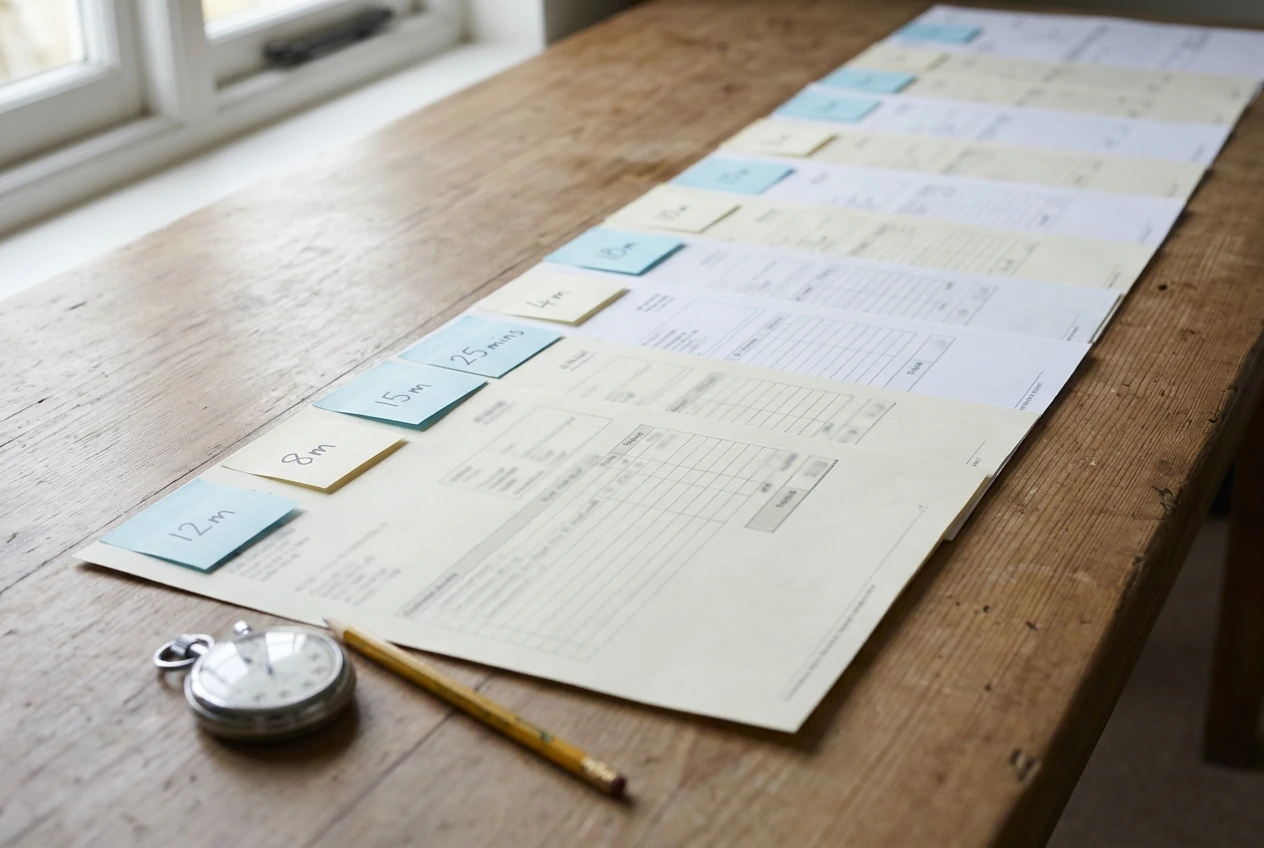
- One task. Only the job you selected.
- One person running it. Preferably someone who already does the task and can tell good output from poor.
- A real sample. Use ten to twenty actual items from the past few weeks or the coming ones, not invented examples. Real items contain the awkward cases that show where a tool fails.
- A fixed period. Two weeks is usually enough to see a pattern without the test turning into a permanent project.
- A record. For each item, note the time taken including checking and correcting, whether the output was usable, and what had to be changed.
Write clear instructions for the tool
Most disappointing results come from vague requests. Tell the tool what the task is, who the output is for, what format you want, what it must not do, and give it the source material it needs. If the task is replying to customer enquiries, include your actual policies and the facts of the enquiry in the request. Do not expect the tool to know them.
Keep the instructions you write. If the test works, those instructions become the written procedure for the job, and anyone else on your team can use them.
Compare against your baseline
At the end of the period, put the numbers side by side: time per item before and after, errors caught, and items that needed to be redone by hand. Include the time spent checking in the AI figure. A task that drops from twenty minutes to five but needs ten minutes of review has saved five minutes, not fifteen.
Keep a person in charge of the output and the decisions
AI tools produce fluent text whether or not it is correct. A wrong figure or an invented detail reads just as confidently as a right one, so the fluency of the writing tells you nothing about its accuracy. That is the reason a named person has to review the output in your first test, and for as long as the tool stays in use.

Name an owner and a reviewer
Decide who is responsible for what the tool produces. In a small business this is often the same person who used to do the task. Their name goes on the work, which keeps the standard where it was before.
If the output goes outside the business, to a customer, a lender, a supplier or a regulator, a person reads it before it goes. That rule has no exceptions during a test.
Build a short checklist
A reviewer works faster and misses less with a checklist than with a general instruction to “check it”. For most tasks, a few items cover it:
- Are the names, dates, amounts and references correct against the source?
- Does it say anything the source material does not support?
- Does it follow your policy, pricing and tone?
- Would you be comfortable if the recipient saw exactly this text?
- Is anything missing that a person doing the job would have included?
Spot checks on a random sample are fine once the tool has a track record. During the first test, check every item, because the point is to learn where the tool goes wrong.
Keep the decisions with people
There is a difference between a tool preparing material and a tool deciding. Having AI draft a summary of overdue accounts is preparation. Having it decide which customers get credit terms is a decision, and a decision carries consequences that someone in the business must own and be able to explain. Use AI to prepare, sort and draft, and let a person make the call.
Know what not to hand over yet: sensitive data and judgment calls
Some material and some decisions should stay out of your first test, and probably your first several. The reasons are practical.

Sensitive data
Before you paste anything into an AI tool, find out what the provider does with it. Terms differ between products and between plans, and cover matters such as whether inputs are stored, whether they may be used to improve the service, and who at the provider can see them. Read the current terms for the specific product and plan you intend to use, rather than relying on what you assume or have heard.
Until you have done that, keep these out of the tool:
- Personal data about customers, clients or staff, including contact details, health information and employment records.
- Bank details, account numbers, passwords and access credentials.
- Documents covered by a confidentiality agreement.
- Unpublished financial results, details of negotiations and anything else that would harm you if it reached a competitor.
You may also have legal duties on personal data, depending on where you operate. If customer or staff information is involved, check your obligations with a qualified adviser before using AI on it. You can often design a test around that limit, for example by removing names and identifying details from the sample, or by choosing a task that does not involve personal data at all.
Judgment calls
AI can produce a plausible answer to almost any question, including questions where the right answer depends on facts it does not have, on your relationships, or on consequences it cannot weigh. Keep these with people:
- Hiring, disciplinary and redundancy decisions.
- Pricing and terms in a dispute or a sensitive negotiation.
- Legal, tax and regulatory positions, where a qualified professional should advise.
- Decisions about creditors, lenders or the future of the business when finances are under strain.
That last category deserves emphasis for any business in difficulty. When cash is tight, the pull toward a quick automated answer is strongest, and the cost of a wrong answer is highest. AI can help you prepare: it can organise your figures, draft a list of questions for your accountant, or summarise a long document. The decision about how to proceed belongs to you, with proper professional advice where the stakes call for it.
Decide after the test: keep it, change it or drop it
When the test period ends, sit down with your records and make an explicit decision. There are three possible outcomes, and each is a good result because it replaces a guess with knowledge.
Keep it
Keep the use if it met the target you wrote down at the start. In practice that means the net time saved, after checking and correcting, is meaningful; the error rate is no worse than the manual process; and the person doing the review is comfortable with the output. Also count the cost of the tool itself against the value of the time saved. A small saving does not justify a large subscription.
If you keep it, turn what you learned into a written procedure: the instructions that worked, the checklist, the owner, and the kinds of input the tool must not receive. Then run it for a further period with spot checks before treating it as routine.
Change it
Change the test if the results were promising but uneven. Look at the items that went wrong and find the pattern. Often the fix is better instructions, better source material supplied to the tool, or a narrower version of the task. Perhaps the tool handles routine enquiries well and fails on complaints. In that case, keep it for the routine ones and send the rest to a person. Then run a second short test on the revised version and compare again.
Drop it
Drop the use if the numbers do not support it. If checking takes as long as doing the work, if errors keep appearing in ways that are costly, or if the task turned out to need judgment you had not noticed, stop. You have spent two weeks and a small sample to learn that, which is far cheaper than finding out after a business-wide rollout.
Dropping one use does not rule out AI. Return to your scored list, choose the next candidate, and run the same process. The method stays the same even when the answer is no.
Write down what you found
Whatever the decision, record it in a page: the task, the baseline, the result, the decision and the reason. A short log like this is useful when a staff member suggests a new tool, when you review costs, or when a colleague asks why you did or did not adopt something. It also stops the same experiment being run twice.
Where to go next once your first test has worked
After one use has proved itself, you have something most owners lack: evidence from your own business about what AI does well there and what it needs from you. Use the same process on the next item on your shortlist, one at a time, so that each addition is tested before the next begins.
Your choice of second use will depend on where your biggest cost sits. A few directions are worth a look:
- If the bottleneck is how the business runs day to day, the piece on using AI to improve your company operations covers workflow and process questions in more depth.
- If money is the worry, using AI tools to manage your cash flow looks at forecasting and tracking, which is where the checking discipline from this guide matters most.
- If your team’s time is the constraint, increasing productivity with AI is a natural next read.
- Once you have a working use and want others to follow it, training your staff with AI covers passing the skill on.
Each of these builds on the same sequence you have just followed: a specific problem, a small test, a person checking, and a decision based on what the numbers show. Keep that order and your use of AI will grow at the pace your evidence supports.
Leave a Reply