How To Use AI Tools To Manage Your Cash Flow
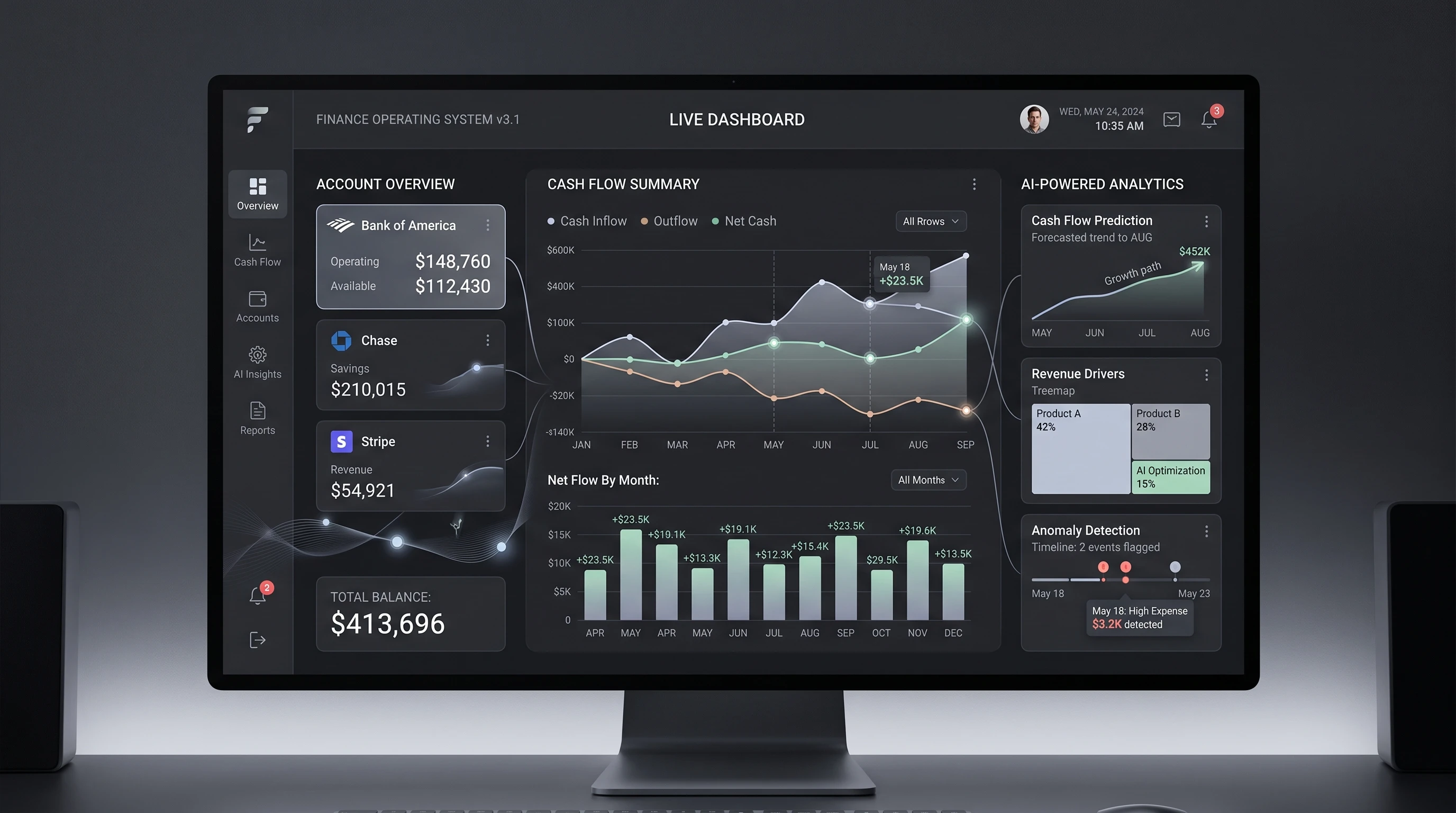 Managing cash flow often feels overwhelming, especially if I have to juggle multiple bank accounts, track incoming payments, and handle unexpected expenses. With the growth of AI tools, I’ve been able to simplify daily financial decisions and develop stronger habits for tracking my money. Knowing how to use the right AI tools has been a real advantage, giving me clearer insights, timely reminders, and greater peace of mind about my finances.
This guide explains how I manage cash flow using AI tools. I’ll share the key steps and tips I rely on, so even if you’re just getting started with digital finance tools, you can build confidence. By using these strategies, I’ve been able to forecast expenses better, avoid late payments, and make smarter decisions for my business and personal life.
Step 1: Understand Your Cash Flow Challenges
Before using any AI tool, I think it’s really important to get clear about the unique challenges I’m facing with cash flow. Cash flow refers to the money that moves in and out of my account during a set period, usually monthly. If my inflows (money coming in) are less than my outflows (expenses going out), I can run into trouble quickly.
Common Cash Flow Struggles I’ve Faced
- Late client payments causing short-term shortages.
- Getting surprised by large, recurring bills.
- Losing track of small, frequent expenses that add up fast.
- Forgetting to set aside money for taxes or annual subscriptions.
Once I’ve taken an honest look at my habits and struggles, I’m able to set goals. For example, I might decide I want to predict low-balance periods, avoid overdraft fees, or know exactly when I can safely make a big purchase.
It’s useful to actually write these down. This way, I can look back and see if my new system is making a difference, which keeps me motivated. If you’re not sure where your cash flow pitfalls are, keep a simple spending log for a month before jumping into the AI tool setup. This helps make the rest of the process more relevant and saves headaches later.
Step 2: Choose the Right AI Cash Flow Tool
I’ve noticed there’s no single “best” tool for everyone. The most helpful AI tools for managing cash flow offer features like real time transaction imports, spending categorization, and predictive analytics. Some popular apps include Pulse, QuickBooks Cash Flow, Float, CashAnalytics, and Fathom, though new tools appear every year.
Key Features to Look For:
- Automatic syncing with all your bank accounts and credit cards.
- AI-based categorization of incoming and outgoing funds, saving me hours on manual sorting.
- Forecasting that projects future balances based on my actual spending patterns.
- Alerts for low balances, bill due dates, or potential cash shortfalls.
- Easy to read dashboards showing cash flow trends and projections.
- Customizable settings for notifications and reports that match my personal workflow.
Questions I Ask Before Picking a Tool:
- Does it support all my banks and currencies?
- Can it be used on my phone and laptop?
- How secure is my financial data?
- Is there a free trial or easy cancellation policy?
I recommend starting with one or two tools and testing with real numbers for a couple of months to see what fits. Taking advantage of free trials can help you figure out if the app is truly helpful before you commit long-term. Look for reviews and testimonials from users with needs similar to yours for more help deciding.
Step 3: Connect and Sync All Accounts
Once I have my preferred AI tool, I link all my accounts—checking, savings, business, credit cards, and even online wallets. Most apps have simple, guided connection steps. This process usually takes about 10 to 15 minutes if I have my login info ready.
Syncing everything is really important. If I leave out an account, my forecast could be unreliable. AI tools work better the more complete my data is. After all accounts are added, the tool starts pulling in transactions, sometimes going back several months. It’s helpful to double-check imported numbers to make sure nothing important is missing or duplicated.
Pro Tip:
I double-check connection permissions and use two factor authentication. This helps keep my information safer and prevents any syncing issues down the line. Also, I periodically review authorized apps and update my passwords for an extra layer of safety.
Step 4: Set Up Categories and Tags
The AI tool will autocategorize many transactions, but I often spend a little time the first week refining these categories. I’ve found that using custom tags or labels makes my cash flow reports much easier to understand.
- Examples of categories I use: Rent, Utilities, Payroll, Supplies, Marketing, Taxes.
- Helpful tags: “Urgent,” “Annual payment,” “Recurring,” or “Unexpected.”
When the AI makes a mistake (for example, tagging a software subscription as groceries), I correct it. Many tools “learn” from my corrections, improving accuracy in the future. Spending a bit of extra time here early on pays off later because monthly reports and overviews become dramatically easier to read. Well-organized transactions are the backbone of a reliable cash flow system.
Over time, as categories evolve or new areas of spending pop up, I make sure to tweak and update these as my needs change. It’s also worth getting familiar with the search or filter tools the app provides so you can quickly track down any particular transaction or pattern without scrolling endlessly.
Step 5: Automate Cash Flow Forecasts
Most AI cash flow tools offer an overview screen with a graph or chart showing my expected account balance over the next few weeks or months. I use this feature to plan ahead. If a bill or payroll run is coming up, I check the forecast to make sure I have enough cash available.
The first few forecasts may need some adjustments. I check whether all income sources and major bills are appearing correctly in the timeline. Some apps let me add custom future transactions, like a planned loan payment, to get a more accurate picture. It’s helpful to review this at the start and end of each month to see how close your forecasts were to reality, allowing you to improve your financial habits.
Benefits I’ve Experienced:
- I get warnings in advance when I might hit a low balance.
- I see how extra spending today will affect my finances next month.
- I have more confidence making purchases, knowing I’ve planned for all expected expenses.
- I can better spot long-term trends and prepare for seasonal ups and downs more effectively.
With accurate forecasting, I managed to avoid expensive overdraft fees and even spotted opportunities where I could invest or save extra cash that would have otherwise sat idle. It has brought structure to my budgeting and spending, making financial planning less stressful and more proactive than ever before.
Step 6: Set Up Alerts and Reminders
Automatic reminders are one of my favorite AI features. These alerts stop me from forgetting a due date or running into overdraft fees.
Alerts I Rely On:
- Upcoming bill or subscription renewals.
- When expected income is delayed or missing.
- Low account balances, especially just before payroll or big expenses.
- Unusual activity, like double charges or large withdrawals.
Most tools allow alerts via email, phone notifications, or even text. I pick whatever helps me act quickly, and I tweak the settings as my habits change. I’ve found that reviewing alert logs regularly also helps me spot unusual trends early—such as when a regular supplier suddenly charges double, or if income starts arriving late for a few consecutive months.
Step 7: Get Deeper with Cash Flow Analysis
Once the basics are running smoothly, I use AI-powered dashboards to review deeper trends. Some tools offer breakdowns by week, month, or quarter. I look for:
- Patterns in when I receive most payments, and when expenses spike.
- Areas where recurring costs are getting higher.
- Unexpected changes or “leaks,” like forgotten subscriptions or fee increases.
- Opportunities to renegotiate supplier deals or spot areas to cut costs, based on periodic trends.
Many platforms let me export dashboards or generate simple reports to share with my accountant or business partners. This has helped me make decisions faster and avoid surprises at tax time. Insights from these dashboards have also guided me in preparing for slower seasons by building up buffer funds in advance.
Step 8: Create What-If Scenarios
AI cash flow tools usually let me create “what if” scenarios. I use this to prepare for slow months or to plan for growth. For example, I can see what happens if a major client pays a month late or if I sign a new long term contract.
- I enter a potential delay in income and check how long I can cover expenses.
- I try adding a big purchase to see if I’ll dip into overdraft.
- I adjust my forecast for seasonality, like a drop in sales over summer.
- I model the impact of offering a temporary discount to customers, to see if it really improves overall revenue flow.
This planning has saved me from panic spending and made it easier to discuss financing or short term loans with my bank. It also adds confidence when exploring business opportunities: I can spot if I’m overextending myself before making commitments.
Step 9: Set Rules for Automated Actions
Some AI tools go beyond alerts. They allow me to set up automatic actions, like transferring money to savings whenever my checking balance is above a certain amount, or automatically paying certain bills from the right account.
- I use rules to move 10% of income to a “taxes” account each month.
- I enable autopay for fixed bills, which cuts down on late fees.
- I program reminders to recheck my budgets if spending in a category jumps unexpectedly.
- I arrange for a notification if my emergency fund dips below a threshold, so I can pause big expenses before it’s too late.
Setting up these rules might take a little time, but it often saves me money and stress in the long run. Over time, I update these automations to match changes in my business or personal goals. With these routines in place, day-to-day management gets a lot smoother.
Common Questions & Troubleshooting
Do I need accounting knowledge to use these tools?
I’ve found that most AI cash flow tools are easy to use, even if I’m new to accounting. There are simple guides and customer support options. If I hit something tricky, I look for video tutorials or forums for help. Some tools even have built-in training modules or tooltips to make things less confusing.
What if my bank isn’t supported?
- Check if the tool offers manual CSV imports for your transactions.
- Contact support; some platforms add new bank connections regularly.
- Use a secondary app that bridges unsupported banks with your main AI tool.
- Keep manual logs for unsupported accounts until integration becomes available, to avoid any gaps in your cash flow data.
How safe is my data with AI cash flow tools?
Most well known tools use bank level encryption and do not store my actual credentials. I prefer apps that are clear about privacy policies and offer strong authentication options. It’s a good idea to periodically review your connected devices and restrict access if you notice something odd. I avoid sharing passwords or using unknown software, keeping my financial data as secure as possible.
How can I stop AI autocategorization errors?
- Review my transactions every week, especially at first.
- Correct mistakes manually so the AI can learn.
- Add custom rules or switch to a tool with better learning features if problems continue.
- Report recurring miscategorization issues to the support team, since many companies refine their algorithms based on user input.
Practical Tips for Making AI Cash Flow Management Work
- I check my dashboard at least twice a week, not just once a month.
- I involve my partner (or a trusted advisor) if I share finances, making sure everyone’s on the same page.
- If something doesn’t look right, I investigate quickly; errors compound if left unchecked.
- I use secure devices and avoid public WiFi, which helps keep my accounts and money safer.
- I revisit my rules and categories every few months, especially after major life events, to keep everything in sync with my current reality.
- I read app updates and notifications to leverage the newest features as soon as they are released.
Final Thoughts & Action Plan
AI tools have made cash flow management much less stressful, but they work best when I stay involved. Using these strategies, I’ve felt much more in control of my daily finances. The combination of real time syncing, clear dashboards, and helpful alerts gives me confidence that I can handle both expected and unexpected expenses.
Ultimately, the toolkit and habits I’ve shared let you move beyond just tracking cash flow to actively shaping your financial future. Don’t worry if it feels a bit unfamiliar at first. With steady use, AI-powered tools grow more helpful, intuitive, and tailored to your unique needs over time.
Your Cash Flow Management Action Plan:
- Pick an AI cash flow tool to try for one month.
- Connect all your accounts and review your categories after the first week.
- Set up at least two alerts for bills and low balances.
- Test the forecasting feature with a real scenario you expect in the next few months.
- Review your dashboard every week and make small changes as you learn.
How are you using AI tools for your finances? Share your experience or top challenges below! If you’ve stumbled upon a helpful tip or want advice on a specific tool, ask in the comments so we can all grow stronger money habits together.
Leave a Reply