Archives March 2026

How To Use AI To Generate Money For Your Online Business

AI money online business illustrationArtificial intelligence (AI) has become a real game changer for online businesses. I have seen firsthand how using AI tools and strategies can open up new ways to grow revenue and make my business more efficient. Whether I am just starting out or looking to level up an existing business, using AI effectively can boost profits, save time, and set my brand apart from the competition.

For a lot of business owners, using AI might sound a bit overwhelming at first. There’s a lot of buzz out there, and it isn’t always clear where to start. I remember trying my first AI powered tool and being surprised by how simple it was to use, and how quickly I saw results. With the right approach, AI doesn’t just sound impressive on paper. It actually helps me solve day to day problems, create better customer experiences, and drive sales.

This step by step guide shares my experience and practical advice on using AI to generate money for an online business. The steps cover everything from understanding which tools to use to putting AI into action for marketing, content creation, customer service, and more. I include tips, examples, and answers to the most common questions I get from fellow business owners.


Step 1: Understand Where AI Can Add Value in Your Online Business

Before I started investing in any AI tools, I took some time to figure out which tasks and areas in my online business could really benefit from automation and smart optimization. AI isn’t a magic wand, but it works best when it’s solving specific problems or saving time on regular routines.

Questions I Ask Myself:

  • Which routine tasks eat up a lot of my time?
  • Where am I missing out on sales or website traffic?
  • Are there patterns or trends I struggle to spot on my own?
  • Could I give my customers quicker, more personalized service?

Common AI Use Cases for Making Money Online:

  • Email marketing and automation
  • Content creation (blog posts, product descriptions, social media)
  • Chatbots for customer support and sales
  • Smart product recommendations in ecommerce stores
  • SEO optimization and keyword research
  • Data analysis and tracking customer behavior

When I identify these opportunities, it becomes much easier to pick the right tools and use AI in ways that give me fast and clear results.


Step 2: Choose the Right AI Tools for Your Needs

With so many options out there, picking the right AI solution for my business can be tricky. I focus on tools that are beginner friendly, offer strong integrations, and have real success stories from other business owners. I also consider factors like cost, support, and whether the tool keeps my data safe.

Popular AI Tools for Online Businesses:

  • Copy.ai, Jasper, or Writesonic: These tools generate blog articles, product descriptions, and even email newsletters in seconds.
  • ManyChat or Chatfuel: Chatbot builders that answer customer questions, qualify leads, or guide shoppers toward a purchase.
  • SurferSEO or Clearscope: Improve content for search engines by suggesting keywords and structure changes.
  • Shopify Sidekick or WooCommerce Smart Recommendations: Suggest products to customers based on their browsing and buying habits.
  • Hootsuite or Buffer (with AI features): Automate and optimize social media posting and analysis.
  • Google Analytics (with AI insights): Track and understand visitor data, uncovering patterns I can turn into sales opportunities. See the official Google Analytics Help Center for details.

Tips for Choosing Tools:

  • Read reviews or ask others in trusted business communities about their experiences with a tool.
  • Start with free trials when possible. I find hands on testing is the fastest way to see if something fits my workflow.
  • Choose tools that can scale with my business, so I don’t run into limits as I grow.

Step 3: Automate Your Marketing for Better Reach and Conversions

Marketing can take up a lot of energy, especially when I try to manually write, schedule, and analyze every campaign. AI driven marketing tools help me automate, personalize, and fine tune my marketing so I reach more people and see more conversions, without being glued to my screen all day.

How I Use AI in Marketing:

  • Email campaigns: AI analyzes which subject lines and send times get the best open rates, and it can automatically write emails based on past high performers.
  • Social media content: AI tools suggest hashtags, write captions, and pick the best times to post for top engagement.
  • Ad optimization: Platforms like Facebook Ads and Google Ads use AI to automatically serve my ads to the most likely buyers.

Example:

I use an AI powered email marketing tool that writes and schedules weekly newsletters. Instead of guessing which content works, the system recommends topics based on which links my subscribers have clicked in the past. I see higher open rates and more sales, and I spend just a few minutes each week reviewing AI suggestions and hitting send.


Step 4: Supercharge Your Content Creation (Even If You’re Not a Writer)

Content is a key part of any money making online business. Blog posts, product pages, social media, and ad copy all impact who finds me and what they buy. I used to spend hours creating every single post, but with AI writing assistants, I cut that time down to a fraction while still keeping my voice and expertise intact.

Ways I Use AI for Content:

  • Generating blog outlines, intros, and full drafts
  • Coming up with SEO keyword ideas and suggestions
  • Turning transcripts from podcasts or videos into articles
  • Personalizing product descriptions for different audiences

Content Creation Workflow Example:

  1. I feed a short prompt or keyword into my AI writer.
  2. The tool returns an outline and a draft based on my topic.
  3. I review and add personal stories or expert tips, making sure it sounds just like me.
  4. I double-check facts for accuracy, then publish or schedule.

Important:

I always review and polish AI generated content before publishing. My expertise and personal touch are what make my business unique, and even the smartest tool can’t fully replace my human experience. I often find that adding a quick recap of my own experience or an anecdote enriches the piece, making it more relatable to my audience.

In addition, AI tools can help me brainstorm content ideas quickly. For instance, I can generate ten blog post titles in seconds, or come up with a month’s worth of social media prompts that fit my brand. The beauty of these tools lies in how much more productive and creative they let me be, so I can focus on what matters most: building relationships and trust with my audience.


Step 5: Improve Customer Experience with AI Powered Support

Fast, reliable customer service helps me win repeat buyers and glowing reviews. But I can’t be everywhere at once, especially as orders or messages scale up. AI chatbots and smart helpdesks handle common questions instantly, guide shoppers through checkout, and even follow up on abandoned carts, all without making people wait for my reply.

Ways I Use AI for Customer Service:

  • Answering frequently asked questions 24/7 through website chat or Facebook Messenger
  • Recommending upsell or cross-sell products based on what a visitor is browsing
  • Sending follow up emails or coupons to shoppers who added items to their cart but didn’t check out

Results:

By handing routine support to AI, I free up my schedule for bigger-picture strategy. I also notice more sales, because people get instant responses and don’t leave my site out of frustration. For more on choosing chatbot platforms, PCMag provides a useful overview.

Another important aspect is that AI can help me keep track of customer satisfaction scores and identify service issues before they become problems. AI powered dashboards present clear analyses of support tickets, allowing me to quickly find common pain points and deal with them proactively.


Step 6: Use AI for Smarter Decision Making

Data is everywhere in my business, from website traffic to sales stats to customer feedback. AI turns mountains of numbers into clear insights I can act on. Rather than guessing what’s working, I rely on AI analytics tools to spot trends, flag problems, and highlight big opportunities.

How AI Guides My Business Decisions:

  • Picks up on top selling products and tells me where to focus my ad spend
  • Finds patterns in customer behavior that help me decide which new products to launch
  • Shows which pieces of content drive the most sign ups or purchases
  • Highlights website pages that aren’t converting, so I can update or improve them

Careful analysis helps me avoid wasting time and resources, so my business grows in the right direction. I also recommend checking out data visualization options that use AI. These tools make it easy to see patterns in sales or visitor flows so I can adjust my marketing campaigns in real time or double down on my most successful strategies.


Step 7: Protect Your Business and Customers Using AI

Security matters more than ever when running an online business. I use AI driven security tools to monitor for possible fraud, spot suspicious login attempts, and keep my website free from malware or hacking attempts. Reliable security tools with AI features help protect my data and build trust with customers who depend on safe, secure shopping.

Security Tools and Tactics I Use:

  • AI powered malware scanners that check files for threats in real time
  • Fraud detection for online payments, blocking stolen cards and flagging risky transactions
  • Smart login protection that recognizes when someone tries to break into my admin accounts

Security is an investment that keeps my business running smoothly and helps me avoid the headaches and lost revenue that come from breaches or scams. For further reading, check the Cybersecurity and Infrastructure Security Agency tools.

I also encourage routine checks using these AI security tools and keeping all software up to date with the latest patches. Layering in AI for both detection and ongoing monitoring gives me peace of mind, letting me focus more on growth and less on managing threats.


Troubleshooting and Common Questions About AI for Online Business

What if I Don’t Have a Technical Background?

Most modern AI tools do not require coding or a technical background. Many offer simple dashboards and step by step guides that walk me through setup and usage. If I get stuck, I reach out to the tool’s support team or look for tutorial videos from experienced users. Often, online communities or user forums provide detailed walkthroughs and troubleshooting tips that make starting with AI feel much less intimidating.

Is AI Expensive to Get Started?

Prices vary widely. Many top AI tools offer affordable starter plans, free trials, or pay as you go pricing. I always weigh the cost of the tool against the time and money it can help me earn. Most pay for themselves quickly once my business starts seeing real results. In fact, many small business owners report that automating just one process, such as customer support or content scheduling, can help offset the investment within the first month.

How Do I Keep My Brand’s Authentic Voice?

I use AI as a tool for drafts, ideas, and time saving automation, not as the final word. By reviewing and personalizing every piece of AI generated content, I make sure my unique perspective comes through in everything I share. Maintaining that sense of connection is key, and I often incorporate my story or experience in the final text to ensure it truly sounds like me.


Tips for Staying Consistent and Learning as You Go

  • Start with a single use case, like content or email automation, and add new AI solutions as you build confidence.
  • Track your results with clear data, not just clicks or impressions, but actual sales and customer feedback.
  • Stay open to trying new tools and strategies. AI tools are getting smarter every day, and being flexible helps me stay ahead.
  • Keep up with updates from tool providers and look for new features that could save time or help me earn more.

When I keep showing up, testing, and adjusting, success comes easier and AI becomes a natural part of my business toolkit. It’s also helpful to connect with other entrepreneurs making use of AI, as they often share tips for maximizing results or avoiding common pitfalls.

If you want to keep learning, consider joining a local or virtual AI business meetup or forum. Sharing experiences and best practices can spark fresh ideas and boost your confidence to try something new in your own business. Every breakthrough starts with a willingness to experiment.


Final Thoughts and Action Steps for Using AI to Make Money Online

AI offers online business owners new ways to earn more, work smarter, and help customers get exactly what they need. My experience shows that anyone can use AI, even with a small budget and no technical background. I just need to pick the right tools, start small, and add my own expertise and personal touch.

My Action Plan:

  1. Pick one area in my business where AI could save time or increase sales, like email marketing, chatbots, or SEO content.
  2. Sign up for a free trial or starter plan and use the tool for a week. Track changes in time saved, sales made, or customer satisfaction.
  3. Share what works with my community, and ask for feedback. Learning from others helps me stay inspired and unlock new ideas for growing my income with AI.

I’m excited to see how AI will shape the future of online business, and I look forward to hearing how you use AI to reach your financial goals. What’s the first AI tool you plan to try for your business? Remember, the most important step is to start exploring and learning. Your journey into using AI could be the breakthrough your business needs this year!

Is AI A Threat To Human Holding Jobs And How To Improve The Situation

AI and automation have been hot topics in the workplace for some time now. I see a lot of interest from workers, business owners, and policymakers who are trying to figure out what AI means for job security and future career growth. In this article, I’ll cover why AI is causing concern, what jobs are most at risk, and how I believe both workers and leaders can respond to improve the overall situation for everyone involved.

An abstract AI and robot illustration with gears and digital symbols, representing automation in the workplace.

Understanding Why AI Impacts Jobs

Everywhere I look, companies are adopting artificial intelligence tools to streamline processes, analyze data faster, and reduce repetitive work. This wave of automation means AI is taking over some tasks that used to be handled exclusively by people. The effect on the job market is real, though it plays out differently across industries and job types.

There’s a common fear that AI will eliminate large numbers of jobs and leave people with fewer opportunities. However, history tells me that new technologies often create new types of work, even as they make existing roles less relevant. For instance, when computers first arrived, some worried about jobs in typing pools and bookkeeping disappearing. While those roles changed or shrank, new opportunities emerged in IT support, software development, and data analysis.

Where AI is Making the Biggest Impact on Jobs

AI is spreading quickly across many fields, but the speed and depth of change depend on the nature of the job. I’ve noticed that roles involving repetitive, predictable tasks are the ones AI can automate most easily. Here are the areas getting the most attention:

  • Manufacturing and Warehousing: Robots and smart machines are handling tasks like sorting, packing, and assembly, which were traditionally done by workers on the floor.
  • Transportation: Companies are investing in automated delivery drones and selfdriving trucks, which could affect driving and delivery jobs.
  • Customer Service: Chatbots and virtual assistants manage simple queries and basic customer support, meaning fewer entrylevel call center positions.
  • Retail: Automated checkouts, stock management, and even some aspects of personalized marketing have seen more businesses integrating AI solutions.
  • Office Administration: AI now handles data entry, document management, and scheduling tasks, reducing the need for administrative assistants in some contexts.

At the same time, fields that rely on creativity, empathy, and complex decision making (such as social work, health care, art, and advanced engineering) have seen slower changes. In these cases, AI mostly acts as a supporting tool instead of a replacement. Creative jobs, such as graphic design or storytelling, still require that uniquely human touch and problem solving ability that technology struggles to mimic. Over time, the balance between AI and human workers may continue to shift, but the value of human skills is not going away.

How AI Could Create New Opportunities

While much of the news around AI and jobs sounds negative, I’ve seen evidence that AI is also creating new work opportunities and switching up job descriptions. Some examples from my experience and observation include:

  • AI Development and Support: There’s a greater need for people who design, test, and maintain AI systems. These roles include data scientists, AI trainers, and machine learning engineers.
  • Analytics and Data Interpretation: All the data gathered by AI tools needs to be interpreted, which means jobs for data analysts and business intelligence specialists are growing.
  • HumanAI Collaboration: Many jobs now involve working alongside AI to improve results; for example, doctors using AIdriven diagnostics or marketers taking advantage of AI for customer insights.
  • Cybersecurity: As companies use more automation, there’s a rising need for experts to secure digital systems and protect against new threats.
  • AI Ethics and Policy: Experts are needed to set ethical guidelines and help businesses steer through the social impact of AI, which has become its own category of work.

According to studies like those from the World Economic Forum, AI is expected to both displace jobs and create millions of new roles by transforming the nature of work (World Economic Forum: The Future of Jobs Report 2023).

What Makes Jobs Vulnerable to AI?

I find it’s helpful to break down why certain roles are more exposed to AI-driven change. Here are the main reasons jobs become vulnerable:

  • Repetitiveness: Tasks that require following strict routines or repeating the same actions are easier for machines to handle than ones that require creativity or empathy.
  • RuleBased Decision Processes: If a job mostly involves choosing between welldefined options, AI can often learn the process quickly.
  • Digitalization: Jobs that take place primarily online or in digital formats (such as data entry or basic financial processing) are well suited for AI automation.

On the other hand, roles that call for social intelligence, creative thinking, handson problem solving, or complex human interactions tend to be less at risk.

Common Concerns and Challenges I Encounter

Many people I talk to have similar worries about the rise of AI at work:

  • Job Loss: Fear of being replaced by machines is real, especially in industries going through a lot of automation.
  • Reskilling Needs: Workers worry about having to learn new skills just to keep their jobs or move up in their field.
  • Wage Pressure: As some roles become less valuable because machines can do the same work, wages in those jobs may drop.
  • Lack of Support: I’ve found that workers often feel unprepared or unsupported when asked to use new AI tools or adapt to shifting job descriptions.
  • Ethical and Privacy Issues: Concerns about data privacy, AI biases, and fair treatment of workers using AIdriven decisions are growing.

How to Improve the Situation: Practical Steps for Workers and Leaders

There are steps everyone can take to make the transition to an AIintegrated workplace smoother. Here’s what I recommend:

  1. Focusing on Skills Only Humans Have
    Skills like complex problem solving, empathy, leadership, creativity, and collaboration are hard for AI to copy. Focusing on these areas in both education and continued workplace training makes a big difference.
  2. Reskilling and Lifelong Learning
    Many companies now offer programs for workers to learn new skills, especially ones related to digital technology and data analysis. Taking part in online courses, certification programs, or vocational classes can help workers stay current.
  3. Encouraging HumanAI Collaboration
    I find the most successful teams use AI as a tool to boost what people already do well, rather than seeing it as a replacement. This could mean using AI to manage busywork while staff focus on strategy or building relationships with clients.
  4. Policy Support and Safety Nets
    Government action plays a role by offering job transition support, investing in public education, and providing unemployment benefits or training subsidies for those affected by workplace changes.
  5. Clear Communication About Change
    Leaders who are transparent about how AI will be used and what changes are coming help reduce anxiety and provide a sense of stability. I believe honest conversations about the future are really important.

Focusing on Human Skills for the Future

I see the need for a strong focus on skills that machines struggle to copy. Skills such as critical thinking, emotional intelligence, and handson problem solving are becoming more valuable as AI spreads through the workplace. By developing these abilities, workers put themselves in a better position to adapt to new opportunities.

Take, for instance, the role of negotiation or building trust; these require an understanding of human emotions and motivations, something AI is far from mastering. Leadership and mentoring also benefit from real empathy, whereas algorithmic tools might contribute only logistical support or surfacelevel analysis. Arts, ethics, strategy, and advanced relationshipbuilding are proving especially resilient as areas where human workers shine.

Learning New Tech Skills and Digital Literacy

Since AI works with enormous amounts of data, learning how to use digital tools, understand analytics, and manage information is really helpful. Even if someone isn’t aiming for a techfocused job, being comfortable around AI and technology makes it much easier to adjust to changes at work. For example, understanding how to use programming logic, databases, content management systems, and basic automation tools can make an employee much more adaptable during technologydriven transitions.

By stepping up digital literacy, workers become valuable contributors in hybrid humanAI workplaces. The role of “citizen data scientist” is growing in many companies; this means regular employees get involved in understanding trends, interpreting output from AI systems, and using that information to make decisions.

Retraining and Upskilling Programs That Make a Difference

Many companies, schools, and governments offer reskilling programs aimed at helping workers move into in-demand roles that AI is unlikely to replace. For example, in Singapore, midcareer workers can access training subsidies to learn digital skills (SkillsFuture Singapore). In other countries, colleges and employers partner to offer coding bootcamps, online courses, and apprenticeship pathways focused on realworld skills.

Continuous learning doesn’t just benefit those looking for a career switch; even workers staying in their current roles can benefit from microlearning platforms, industry certification programs, and workplace seminars. These resources make it easier for people to stay ahead by picking up exactly the skills that are in highest demand as technology develops.

Barriers to Improvement and How to Overcome Them

As I’ve seen, there are real obstacles that slow down progress:

  • Access to Training: Not everyone has the time, money, or internet access for new learning. Subsidies, public programs, and online resources help address this.
  • Changing Work Culture: Some workplaces are slow to update training or find it hard to move away from traditional ways of working. Openminded leadership is super important for cultural change.
  • Uncertainty About the Future: When job security feels shaky, it’s easy to get discouraged. Reliable communication and future planning from leaders help people feel more confident.

It’s often a team effort that helps both individual workers and the wider workforce transition smoothly when AI is introduced at work. One way companies get results is by pairing up experienced employees with recent hires in mentorship programs focusing on digital tools, giving both a chance to learn fresh skills and perspectives.

Another method is regular feedback sessions or surveys about workplace technology changes. This lets leaders hear concerns quickly and make adjustments to support worker well-being. Companies with strong, visible support structures tend to handle workplace technology transitions with less stress and more productivity.

RealLife Examples of Job Transition and Positive Change

I’ve met people whose jobs changed because of AI, but who used this as an opportunity to move into something new and rewarding. For example, an administrative assistant in my circle learned digital project management and switched from routine data work to helping teams use new AI tools effectively.

There are also many reports of entire teams moving from repetitive production tasks to roles focused on machine supervision, troubleshooting, and process improvement after factories adopted robotics. These changes don’t always come without challenges; but strong training and support help build confidence and new skills. In another case, customer service agents in a financial institution began managing complex customer needs, while AI answered the routine queries, meaning they could focus on higher-value, more satisfying work. This switch up benefits both employees and customers.

Frequently Asked Questions About AI and Jobs

Here are some of the most common questions I hear from people worried about AI affecting their work:

Question: Could AI actually replace my job?
Answer: If a job relies heavily on routine, rulebased tasks, there’s a higher chance AI could automate parts or all of it. However, if your job includes tasks that need creative thinking or interacting with people, it’s less likely to be automated completely.


Question: What should I do to stay employable as AI becomes more common?
Answer: Focus on learning skills unique to people, like communication, leadership, or problem solving. Getting comfortable with digital tools and taking part in lifelong learning or reskilling programs also really helps.


Question: Will AI mean fewer overall jobs in the future?
Answer: Predictions vary. Some experts expect certain jobs to disappear, but also see AI creating new roles. Staying flexible and keeping skills current helps you take advantage of changes as they happen.


Question: How can I tell if a company will use AI responsibly?
Answer: Look for transparency, clear communication, and investment in training staff. Companies that involve staff in decision making and provide information about how AI is used tend to handle change better.


Looking Ahead: Building a Positive Future With AI

AI is changing the way many jobs work, but it doesn’t have to be a negative experience. From what I see, being ready to learn new skills and staying open to change are the best ways to handle workplace transformation. With practical support from employers and policymakers, and a focus on what makes us uniquely human, it’s possible to use AI in ways that create opportunity rather than only doing harm. It starts with a willingness to learn, adapt, and ask questions; skills I try to use every day as technology continues to move forward. By staying openminded and proactive, both workers and leaders can set the stage for an AI future that benefits everyone involved and brings about positive long-term change.

How To Use AI To Prepare A Good Business Plan

AI tools can make the business planning process smoother, faster, and a lot more insightful. Whether you’re starting a new venture or looking to refresh an existing strategy, using AI can help you dig deeper into market research, forecast outcomes, and organize your ideas in a structured and logical way. Here, I’ll break down how you can use AI to prepare a solid business plan, the key pieces that every plan should have, and what to watch out for when trusting AI with important decisions.

Robot hands typing on a laptop surrounded by business charts and graphs

What You’ll Want in a Good Business Plan

Every good business plan covers a handful of basic areas, no matter the industry or business size. Skipping any of these sections can leave investors or partners with questions and might hold you back when it’s time to get funding or move forward. Here are the parts I always make sure to include:

  • Executive Summary: A short overview that tells people what your business is about, where you want to take it, and why you think it’ll work.
  • Business Description: Explains your business idea, what you offer, and what makes your business different from the rest.
  • Market Analysis: Details about your target market, trends, competitors, and what’s going on in the industry.
  • Organization & Management: Describes your team’s structure and bios of key players.
  • Products or Services: Details on what you’re selling and the benefits to your customers.
  • Marketing & Sales Strategies: How you plan to attract and retain customers, including sales processes.
  • Funding Request (if needed): How much money you need to launch or expand and where it’ll be spent.
  • Financial Projections: Forecasts like sales, expenses, and profit for at least three years down the road.
  • Appendix: Extra info like charts, resumes, product photos, or legal documents.

AI tools can help with just about every part of this list, but knowing what to include is the first important step before handing anything over to an algorithm.

How AI Can Help You Build a Business Plan

AI isn’t just about answering questions or generating quick ideas. It’s become pretty smart at helping founders, small business owners, and side hustlers create actionable, clear business plans. I’ve seen AI used in these ways:

  • Market Research on Demand: AI can scan online articles, industry reports, and market data to quickly summarize market trends, potential customer needs, and gaps you could fill.
  • Competitor Analysis: Rather than sorting through dozens of competitor websites by hand, AI can compare their strengths, weaknesses, pricing, and social media activity for you.
  • Financial Forecasts: Some AI tools can turn your basic financial information or goals into spreadsheets and visual projections in minutes, which is pretty handy if you’re not a numbers person.
  • Drafting and Proofreading: AI writing tools can help organize your thoughts into full paragraphs, rewrite sections to sound clearer, and even catch grammar mistakes that could make your plan look less professional.

These aren’t just time savers. They can actually help you see patterns, risks, and opportunities you might otherwise miss.

Step-by-Step: Creating a Workable Business Plan with AI

Using AI effectively for your business plan isn’t about copying and pasting whatever it spits out. It works best when you treat it as a partner rather than a boss. Here’s how to go about it:

  1. Set Clear Goals: Know what your business wants to achieve and who will be reading your plan. AI tools do a better job when you give them specific directions, like, “Summarize the top three competitors in the boutique coffee shop industry.”
  2. Feed AI High-Quality Data: The more info you provide (like rough market stats, your startup idea, or local specifics), the more helpful the responses will be. I like to start with bullet points and ask AI to organize them.
  3. Use AI for Each Section: Ask targeted questions for each business plan section. For example, “What marketing strategies are common for online tutoring services?” Copy answers that fit your plan and edit them as needed.
  4. Cross-Check the Output: Don’t just take the AI’s word for it. Make sure any numbers, trends, or competitor names are accurate. Double-check facts with your own research or reliable sources like Statista, IBISWorld, or your local chamber of commerce.
  5. Polish and Personalize: AI drafts can feel generic. Add your own details, personal experiences, your mission, and your voice to make your plan unique and trustworthy.
  6. Use AI for Final Checks: Before showing your plan to anyone important, ask AI to proofread for clarity and completeness. Some tools also offer formatting tips that can give your plan a more polished look.

Following these steps helps you avoid the classic pitfall of creating a business plan that sounds impressive but doesn’t actually work for your specific situation.

Advantages of Using AI for Business Planning

AI can be a real game changer during the business planning process for founders at every stage. Here’s why I reach for AI tools when building my own plans or advising others:

  • Speed: AI can analyze massive amounts of data and deliver relevant insights in minutes.
  • Convenience: Everything from drafting sections to financial projections can be generated in one place, anytime.
  • Cost Effective: Many AI tools are free or much cheaper than hiring a consultant.
  • Fresh Ideas: AI can suggest angles or marketing ideas you might not have considered on your own.
  • Helps Uncover Risks: AI can spot missing data or red flags in your plan so you can address them early.

For solo founders or small teams without a big budget for research, I’ve found these advantages really important for moving an idea from a rough sketch to something you can bring to investors or partners.

Pitfalls of Using AI in Business Planning

AI is helpful but it’s not perfect. There are a few things to watch for so you don’t get tripped up:

  • Generic Results: If the prompts are vague, AI might give you answers that sound impressive but are actually pretty shallow or too broad.
  • Inaccurate or Outdated Data: Some AI sources use information that isn’t current, or they might misinterpret statistics, especially in industries that move fast.
  • Lack of Local Context: AI can miss local laws, cultural norms, or neighborhood trends that really matter for small businesses.
  • Privacy and Confidentiality: Putting sensitive business ideas into an AI tool isn’t always safe or private, especially if you’re using free tools with unclear privacy rules.

These pitfalls are not dealbreakers, but it’s smart to stay alert and blend AI findings with your own knowledge and judgment.

Balancing AI Advice with Real World Considerations

Relying too heavily on AI makes it easy to end up with a plan that looks great on the surface but doesn’t really fit the real world situation. I find it helps to:

  • Reach out to real customers and get their feedback on your ideas, not just the AI’s opinion.
  • Compare AI generated suggestions with what’s happening in your local area or industry network.
  • Talk to experts, mentors, financial advisors, or small business owners about your plan before finalizing it.

Mixing AI insights with your own research and honest feedback from others usually leads to a plan that’s both practical and convincing.

Popular AI Business Plan Tools Worth Checking Out

There are lots of AI powered tools built specifically for business planning, and more appear all the time. I’ve tried a bunch and these are the ones that stand out:

  • ChatGPT and Google Gemini: Super flexible AI chatbots that can help with brainstorming, writing, and checking plan drafts.
  • LivePlan: An allinone business planning tool with AI features for market research and building financial projections.
  • Upmetrics: Offers AI powered business plan templates and analytics that help you organize your thoughts quickly.
  • Bizplan: Makes it easy to visually organize sections and collaborate with others online.
  • Copy.ai: Handy for turning bullet points and ideas into more polished business plan paragraphs.

There’s no one “right” choice since the best tool depends on your business needs and how much help you want with each step. I recommend playing around with a couple of these to see which fits your workflow and preferences best.

Common Questions About Using AI for Business Plans

People often have questions about just how much they can trust AI, so I want to answer some of the most common ones I get:

Question: Can I use AI to write my whole business plan?
Answer: You can, but I don’t recommend it. AI can make the writing process quicker and help you organize your ideas. However, a good business plan always needs your personal touch and real world details.


Question: Will investors know if I used AI?
Answer: Most investors care more about the plan’s content than how it was written. Still, if your plan sounds too generic or lacks specific knowledge of your market, it will stand out in a bad way. Use AI as a tool, not a replacement for your work.


Question: Can AI help find business model gaps or risks?
Answer: AI is pretty good at pointing out missing sections or asking probing questions about your business model, but it can still miss risks that are unique to your situation. Always get a qualified second opinion before taking big steps.


Question: Is it safe to enter my business idea into an AI tool?
Answer: It’s better to keep sensitive info private, especially with free or public facing AI tools. Stick with paid, reputable services that offer confidentiality if your idea is still under wraps.


Final Tips for Using AI-Generated Business Plans Effectively

Prepping a workable business plan with AI doesn’t mean you should set it and forget it. Some things I always keep in mind:

  • Do your own research before relying on AI answers.
  • Update your plan regularly; AI can help, but you’ll need to feed it with new info as your business grows.
  • Ask for feedback from people who understand your industry, not just from online forums or automated tools.
  • Add examples and stories from your own experience, since these can make your plan much more relatable and convincing.

Business planning can often feel daunting, but using AI smartly can free up time and energy so you can focus on what matters. Turning your vision into an actual, thriving business is more attainable when you combine your insights with powerful tools.

If you’re about to start a new business or take up a notch your current strategy, pulling in some AI tools could make the process less overwhelming and help you build a plan you’ll actually be excited to follow.

How Can You Start An Online Business Without Any Capital

startup workspace illustration showing online business startup iconsStarting an online business with no money sounds tough, but it’s actually possible if you use simple, creative strategies. I’ve started my own online projects without big budgets and know firsthand how powerful free or lowcost tools can be. If you’re motivated and practical, you can build something real with the resources you have right now.

This guide covers the essential steps to launching an online business without up-front capital. You’ll find out how to make use of your skills, tap into free tools, and get your first customers without spending money. These are practical steps anyone can follow to start moving toward a real business, even if you feel stuck at the starting line.


Step 1: Identify Your Strengths and Skill-sets

Before you create your online business, knowing your strengths and skills plays a big part in choosing the right kind of business. I always look at what I enjoy, what I can teach others, or what problems I’ve solved in my own life. This makes it easier to offer real value, even before spending any money on a product or website. When I spot a repeated need among friends asking for advice, it’s often a sign of an opportunity worth digging into further.

Questions to Help You Focus:

  • What are my hobbies or skills that other people ask me about?
  • Do I have experience or expertise in a certain field?
  • What challenges have I solved that others might face?
  • Would I enjoy helping others with this topic?

Types of Businesses You Can Start with No Capital:

  • Freelance services (writing, design, translating, coding)
  • Consulting or online coaching in an area you know well
  • Creating and selling digital products (ebooks, guides, templates)
  • Affiliate marketing by recommending products and earning a commission
  • Content creation (blogging, YouTube, podcasts supported by free platforms)

I focus on businesses where I can use skills I already have and provide value without major up-front costs. This approach helps keep starting risks low. If you have technical expertise, offering online IT support is a zero-cost option. For creative types, designing graphics, editing photos, or even offering music lessons over video calls work well. The key is targeting something you can deliver with little besides your time and existing knowhow.


Step 2: Research Free Online Tools and Platforms

Building an online business without capital means finding free resources to get started. I use free online tools for almost everything; making a website, designing graphics, managing email, or handling social media. Testing these tools keeps things simple and lets me see what works before I pay for anything down the road.

Top Free Tools for New Online Businesses:

  • Website Building: WordPress.com, Google Sites, or Carrd offer no-cost website options for beginners.
  • Design: Canva and GIMP provide free templates to make professional graphics and logos.
  • Email: Gmail and Mailchimp offer free accounts for communicating with customers and creating simple newsletters.
  • File Sharing: Google Drive and Dropbox allow free file storage and sharing for collaboration.
  • Social Media: Facebook Pages, Instagram, and X (Twitter) can help you get noticed and talk to your audience, all for free.

Getting Started with Free Online Stores:

  • Sell digital products or services through Gumroad or Payhip without setup costs.
  • List physical products on eBay or Facebook Marketplace and only pay fees when you make a sale.
  • Use Etsy for handmade or print on demand items; you only pay small fees per sale.

I test out several free tools before committing to any paid option. This helps me figure out what fits my style and keeps costs at zero while planning my business. Choosing the right mix of tools is crucial; for example, if you’re offering graphic design, Canva’s free templates can give your portfolio a professional edge, while Google Drive is perfect for storing client files securely.

For communication, consider using Slack or Discord to build small, focused groups where you can both learn and promote your services. Social media schedulers like Buffer and Hootsuite also have free plans that can help you automate sharing posts and keep your online presence consistent.


Step 3: Plan Your Offer and Audience

Deciding what to offer, and who to offer it to, is really important at the start. I always ask myself what specific problems I can solve and who will actually want the solution. Instead of trying to create something for everyone, I focus on a small group with a real need. This approach makes it easier to find my first customers without spending money on advertising.

Tips for Defining Your Offer:

  • Look for common questions online (search forum threads, Reddit, Facebook Groups)
  • Check what products or services are popular or recommended in your area of interest
  • Survey people you know about problems they face in everyday life or work
  • Start small, offer a simple service, single product, or a digital download and build from there

Remember, the narrower your focus, the more likely your message is to resonate. For example, instead of “fitness coaching,” frame your offer as “quick home workouts for busy parents.” This shows you understand your target user and positions your service as the solution to a specific problem.

Finding Your Audience Without Paid Ads:

  • Join online communities that focus on your topic and contribute valuable advice
  • Use free keyword research tools like Google Trends or Ubersuggest to see what people are searching for
  • Promote your offer in free Facebook Groups, on relevant subreddits, or by answering questions on Quora

This focused approach means you don’t have to spend to get noticed. The more specific your offer and audience, the easier it is to stand out without a big promotion budget. Keep your messaging clear and always show how you solve a unique pain point.


Step 4: Set Up Your Basic Online Presence

Even with no money, having a public profile helps people trust what you’re offering. I always start by building a free landing page, social account, or portfolio using those free tools. This becomes a simple home base for customers to learn about me, see what I offer, and get in touch. A clear online presence with contact information and real examples makes it easier to build credibility quickly.

How I Set Up My Free Website:

  • Pick a free website builder (WordPress.com, Carrd, or Google Sites)
  • Add a short bio, details about my offer, and a way to contact me (simple form or email link)
  • Show off real examples: share a sample of my work, testimonials, or even a case study of how I helped someone

Remember, a basic but well-organized portfolio is better than a fancy one that’s never finished. Include a clear call to action so potential clients know how to reach out. If you do freelance work, create a page with service packages or “hire me” instructions. If you run a content site, add an opt-in email form for updates.

Connect With Customers on Social Media:

  • Create a business page or profile on Facebook, Instagram, LinkedIn, or X
  • Post introductory or helpful content tied to your offer
  • Link your free website or direct people to message you

I use my own name for my brand when starting from zero. This makes it simple and personal, and it helps people know who is behind the business. A friendly face and real story can go a long way to building early trust.


Step 5: Get Your First Customers Through Organic Outreach

The first sales or clients usually come before I spend anything on marketing. I’ve found that reaching out directly, offering real value for free or at a discount, gets the ball rolling. This helps me build a reputation and get past the toughest part: the beginning. Offering a deal, like a complimentary consultation or detailed feedback session, makes it much easier to land those initial customers.

Ways to Find Your First Customers for Free:

  • Ask family, friends, or previous colleagues if they know anyone who needs your offer
  • Promote in online communities or groups where your audience hangs out (Facebook Groups, forums, subreddit threads)
  • Offer a beta version, trial, or discount for the first set of customers in exchange for feedback and testimonials
  • Reach out with helpful advice in public spaces (blog comments, Twitter threads, LinkedIn posts) and include your website or offer

Your network can be a surprising source of first customers or referrals. Posting about your new offer with a request for introductions can start conversations you never expected. Don’t hesitate to ask for feedback either; people feel valued when their opinion shapes your early service or product.

Providing Value Before Making Sales:

  • Share useful information or tips based on your expertise
  • Answer real questions and help people solve problems in your target community
  • Build goodwill by offering a free resource—like a checklist, guide, or quick consult

This direct outreach feels personal and often leads to my first paying customers, testimonials, and referrals. It’s both free and effective for getting started. You can also create downloadable PDFs, cheat sheets, or infographics using Canva to share in groups and drive awareness.


Step 6: Build Trust and Collect Social Proof

Trust is really important when you’re new and don’t have a big brand or fancy website. I always collect as much feedback, testimonials, and case studies as possible. Showing that you’ve helped someone, even for free or at a discount, makes a difference when attracting new customers. The more you can back up your claims with real experiences, the quicker you’ll gain traction.

Simple Ways to Collect Social Proof:

  • Ask early customers for a short review or testimonial after you deliver value
  • Share success stories or examples of results (even if it’s something you helped a friend with)
  • Get permission to use screenshots of positive messages, comments, or feedback

I add these stories and testimonials to my free website, social profiles, or even send them to potential customers via email or direct message. Building trust this way costs zero dollars but makes a big difference when starting from scratch. Even if you’ve only helped people for free so far, those wins prove you can get results.


Step 7: Grow Your Business Organically

Once the basics are up and running, growth comes from consistent effort, more outreach, and new free channels. I don’t need to buy ads or expensive software to keep building momentum. Instead, I stick to sharing helpful, relevant content and look for small wins that add up. If you keep delivering value and showing up, referrals and repeat business will follow.

Free Ways to Grow Your Online Business:

  • Start a blog on your free website and post articles that answer common questions in your field
  • Create short explainer videos or tutorials on YouTube or TikTok
  • Write guest posts or team up with other creators to reach new audiences
  • Run free webinars, challenges, or online workshops to showcase your expertise and connect with new leads
  • Keep collecting user feedback and using it to refine your offer

You can also join podcast interviews, participate in online challenges, or set up collaborations where you and another beginner promote each other’s services. These tactics all tap into existing audiences without any spend.

Using Email to Build a Loyal Following:

  • Offer a free ebook, checklist, or course to collect email addresses using Mailchimp or ConvertKit free plans
  • Send regular updates, useful tips, and new offers to your email list at no cost

Growth is steady when I stay consistent. I show up, help people, and look for new ways to add value through free content and resources. Creating signature content series or themed weekly newsletters can help you stand out. The more you nurture your list, the more likely these contacts will become customers later on.


Answers to Common Questions About Starting With No Money

Can I really start without any money at all?

I’ve started businesses with nothing but a laptop and internet access. Using free tools, you can launch a basic website, create a portfolio, reach out to customers, and test your ideas. You won’t need to spend anything unless you choose to scale up later. If you need to use a paid tool, most offer free trials or free plans to get started. With creativity, you’ll be amazed how far you can go before needing any budget.

How do I compete with bigger, well funded businesses?

Focus on doing one thing really well for a specific, small audience. Big businesses have more resources, but they can’t offer the personal connection or quick response you can. I win customers by being helpful, reliable, and responsive to feedback. People love working with individuals who clearly care about solving their problem directly rather than just selling a product or service en masse. Your agility and ability to quickly adapt to feedback give you a leg up in a crowded marketplace.

What if I don’t know what to sell?

Think about skills you already have and problems or needs you see around you. Join online communities and listen for common complaints or requests. Sometimes the best business idea comes from helping people solve something you’ve dealt with yourself. If you’re still unsure, experiment with offering different types of small services and see where demand naturally pulls you. The market will tell you what people want, especially if you’re visible and approachable.

Do I need to register a business?

At first, you don’t need to register if you’re testing ideas or working as a freelancer. Once you make regular sales, check local laws about business registration, taxes, and licenses. Registering your business can usually wait until you see what’s working. Always keep records of your sales and expenses from day one to make the registration process easier later on.


Taking the First Steps: Your Free Startup Action Plan

Building an online business with no capital is about using what you have, taking small steps, and looking for opportunities to provide value. These actions are what helped me get started and are the backbone of many successful online businesses launched on a shoestring:

Your 5-Step Startup Checklist:

  1. Pick a practical business idea based on your current skills and interests. Make sure it solves an actual problem or meets a real desire in a specific group.
  2. Set up a free website, social media account, or digital storefront using available free tools.
  3. Share what you offer in one or two online communities or groups where potential customers hang out. Genuine participation is key—offer advice and listen as much as you promote.
  4. Deliver value for free or at a discount to your first few clients, and ask for feedback or a testimonial. Even small wins make great stories to share later, and honest input will make your offer better.
  5. Keep showing up, sharing helpful content, and building trust in your audience over time. Consistency creates momentum, so aim for steady progress rather than overnight success.

If you’re feeling overwhelmed, remember that the very first step is just reaching out and getting your offer in front of people for free. Every online business started with one idea, one customer, and one first action. Take that step today—your dream business is closer than you think. Just keep things simple and stick to what you’re best at, and soon enough, you’ll see progress and real results.

10 Factors That Silently Drain Employee Morale And Motivation

Employee morale and motivation play a pretty big role in building a healthy, energetic workplace. High morale can lift up productivity, help with retention, and encourage better teamwork. Low morale, on the other hand, drains energy and keeps people from doing their best work. The trickiest part is that some of the factors affecting morale and motivation often go unnoticed. I’ve seen how teams can quickly lose their spark when these silent forces aren’t kept in check. Identifying and addressing them helps keep the workplace happier and more productive.

Abstract workplace stress concept, symbolism of low morale in office, muted blue tones

Why Morale and Motivation Matter at Work

When morale is up, people show up ready to contribute, and the results speak for themselves. Happy, motivated employees are more creative and far more likely to take initiative. Productivity often rises, and collaboration tends to come naturally. On the flip side, when motivation drops, everything from enthusiasm to work quality can start to slide. Even small issues, if ignored, lead to a culture where people mentally check out.

Morale and motivation influence company culture, employee engagement, and overall satisfaction. Studies from Gallup show disengaged employees can cost businesses thousands of dollars in lost productivity every year. Sometimes, people don’t even realize that it’s the everyday stressors, work culture shifts, or even sneaky organizational habits slowly wearing them down.

Understanding the Silent Drains on Morale and Motivation

Workplace drains aren’t always loud or obvious. Some of the toughest ones slip under the radar for a long time. It’s not always about major conflicts or huge policy changes; often, it’s more about the daily frustrations or subtle patterns that might seem harmless but have a long-term impact.

Being able to spot these hidden morale busters is super important for leaders and team members alike. Once these drains are noticed, both managers and employees get a better shot at tackling them, which helps everyone stay engaged and satisfied at work.

10 Factors That Silently Drain Employee Morale and Motivation

So, let’s now have a look at the things I think you’ll really want to keep an eye on if you want your workplace to be a positive one. These factors might seem minor at first, but they all add up:

  • Lack of Recognition
  • Poor Communication
  • Unclear Expectations
  • Lack of Growth Opportunities
  • Micromanagement
  • Inconsistent Feedback
  • Unfair Workloads
  • Toxic Workplace Culture
  • Poor Work-Life Balance
  • Lack of Trust

Here’s what makes each of these morale drainers worth watching out for:

Lack of Recognition

People want to know their work matters. When you go out of your way to do your best and barely hear a “thank you,” it can feel pretty deflating. Employees who don’t feel valued will often stop putting in extra effort and might lose interest in their roles over time. Recognition doesn’t have to be fancy. Just a quick shout-out, a genuine word of appreciation, or even a note acknowledging someone’s contribution can go a long way.

Poor Communication

Communication breakdowns often cause more trouble than we realize. If you’re constantly left out of the loop or if instructions are vague, it leads to confusion, frustration, and even mistakes. Teams that don’t communicate well can also become disconnected from each other, which hurts collaboration and trust. Regular check-ins, open channels for feedback, and clarity in messaging are really important here.

Unclear Expectations

Guessing what your boss wants can be exhausting. When employees aren’t sure what’s expected, they may feel like they’re failing, even if they’re working hard. This creates anxiety and self-doubt, which sap motivation. Setting clear goals, providing direction, and making sure everyone knows what success looks like can make a big difference here. Training programs and onboarding refreshers can help here, too.

Lack of Growth Opportunities

Stagnation is a big morale crusher. When people don’t see a future or a path to learn new things, they can lose their sense of purpose at work. Growth doesn’t have to mean a new title or a promotion; it can also be a new skill, a chance to work on a different project, or access to mentorship. Having regular conversations about career interests helps employees feel supported and motivated. Hosting internal workshops and inviting guest speakers are good ways to add variety to professional development, too.

Micromanagement

Constantly being monitored or second guessed can make work feel more stressful than it needs to be. Most employees appreciate a bit of autonomy and trust to do their jobs. Micromanagement often signals a lack of trust, and over time, it chips away at confidence and motivation. Giving people the chance to make decisions and learn from their own mistakes builds morale and helps everyone grow. Even providing employees with some selfmanaged projects can do wonders for independence and drive.

Inconsistent Feedback

Employees need timely, honest feedback to know how they’re doing and where they can improve. Getting only negative feedback, or being praised inconsistently, leaves people confused or anxious. Regular, balanced feedback creates clarity and helps employees build their confidence, improving engagement and performance. Constructive criticism works best when paired with encouragement and specific advice. Setting up monthly or quarterly mini-reviews can also keep everyone aligned and motivated.

Unfair Workloads

When some employees are loaded with extra tasks while others have a lighter schedule, it creates resentment pretty quickly. Overloading top performers just because they deliver isn’t a great strategy; it burns people out and makes them less willing to step up in the future. Even workloads, realistic deadlines, and understanding individual strengths keep things fair and morale high. Automated workflow tools can help keep track of assignments and ensure balance across the whole team.

Toxic Workplace Culture

Negativity can spread really fast. Bullying, gossip, cliques, or a “blame first” attitude all create a toxic environment. Even if the company has a good mission or decent pay, people will start to check out if the day-to-day culture feels uncomfortable or unsafe. It’s important to promote respect, encourage kindness, and actually follow through on any “open door” policy so people feel heard. Organizing regular checkins or anonymous surveys can provide a clearer picture of underlying issues.

Poor WorkLife Balance

Working late nights or weekends might seem heroic at first, but over time, it’s exhausting. When the line between personal life and work gets blurred, employees feel overworked and stressed. Protecting downtime is super important for long-term motivation. Encouraging breaks, setting clear hours, and respecting time off helps maintain both morale and productivity. Consider flexible scheduling or occasional remote days to give people more freedom when possible.

Lack of Trust

Trust is a two-way street, and when it’s missing, you’ll feel it everywhere from team meetings to project planning. If employees worry about being thrown under the bus or aren’t sure leaders have their backs, they’re less likely to take initiative or voice new ideas. Transparency, honesty, and following through on promises build trust and encourage employees to fully commit to their roles. Open-door policies and leadership transparency meetings go a long way here.

Workplace Examples and Their Impact

I’ve seen how one or two of these factors can cause noticeable changes in team energy. Picture a busy office where two people are constantly picking up the slack for the rest of their team. At first, they’re motivated, trying to help, but after a few months of extra hours without much acknowledgment, they start coming in late, skipping meetings, or just zoning out. Team performance dips. Other employees start to worry about being asked to pick up more slack themselves, and soon, the entire mood sours.

Now, bring in fairer workload distribution, improved feedback, and a few words of appreciation. Things slowly turn around. People help each other out, productivity recovers, and the mood in the office improves. Even inviting new voices into decision making, encouraging personal goal setting, or rotating team leads can help teams get out of a rut.

Recognizing the Signs of Low Morale

Sometimes, low morale shows up in subtle ways before it becomes a bigger problem. Here are common things to look out for:

  • More frequent absences or late arrivals
  • Loss of enthusiasm during meetings or brainstorming sessions
  • Higher turnover or more employees mentioning burnout
  • Drop in productivity or willingness to take on new projects
  • People reluctant to share ideas or give feedback

I always encourage managers and team leads to check in regularly with team members and actually listen. Sometimes those daily chats reveal issues that surveys miss entirely. Informal coffee chats, team lunches, and one-on-one meetings can all create safe spaces to bring up issues sooner rather than later.

How Companies Can Address These Morale Drainers

Tackling these hidden factors doesn’t have to be complicated. Small, consistent changes work better than dramatic overhauls. Here are some ideas that really pay off:

  1. Show Regular Appreciation: Make recognition a habit, not just a yearly event. A quick thank you, company shout-out, or personal message can reinforce positive efforts. Celebrate birthdays, work anniversaries, and team wins.
  2. Communicate Clearly and Often: Use open channels like chat groups, emails, and regular meetings. Double check that everyone’s on the same page. Encourage team members to ask questions.
  3. Clarify Roles and Goals: Set concrete targets, walk through expectations, and adjust goals as needed. Consider creating short role descriptions and updating them yearly.
  4. Boost Growth Opportunities: Offer training, mentorship, or stretch assignments. Let employees pursue projects they’re interested in. Connect team members to resources for self-paced learning.
  5. Give More Autonomy: Allow employees to own their work. Offer guidance, but avoid hovering. Try pilot programs where employees can set their own goals for a quarter.
  6. Provide Balanced Feedback: Don’t wait until review season. Address achievements and gaps consistently to help employees grow. Peer-to-peer feedback rounds can build trust within teams.
  7. Keep Workloads in Check: Assess projects and priorities regularly so no one is overwhelmed. Redistribute tasks when possible. Use digital tools to track workloads and prevent silent overload.
  8. Prioritize Culture Building: Invest time in teambuilding, listen to concerns, and lead by example with positive communication. Include regular social or community involvement events for more connection.
  9. Protect Boundaries: Encourage breaks and unplugging from work after hours. Respect vacation time and model healthy balance. Add “no email” evenings or wellness days for extra recharge.
  10. Build Trust Through Actions: Communicate openly, own up to mistakes, and make sure promises turn into actual improvements. Host forums for feedback and publish internal “you said, we did” reports.

More information on building a positive workplace can be found at Harvard Business Review’s guide to what great managers do daily and the Gallup report on burnout and motivation. Exploring your industry’s specific challenges and local HR resources can also uncover more tailored ideas.

FAQ About Employee Morale and Motivation

People often have questions about morale and what actually helps employees stay energized. Here are some that pop up a lot:

Question: What are some fast ways to boost morale in a struggling team?
Answer: Offer quick wins; start with public recognition, celebrate recent achievements, and open up for feedback. These steps often get things moving in a better direction fast. Try a fun mini-challenge or lunch to get a positive buzz started.


Question: How can employees help improve morale from the ground up?
Answer: Support coworkers, share positive feedback, and be open to new ideas. A little bit of positivity and initiative from team members can help switch up the workplace vibe.


Question: What if leadership isn’t addressing toxic culture?
Answer: That’s a tough spot. Try to find allies, discuss concerns respectfully with supervisors, and document negative patterns. Use internal channels or HR if things aren’t changing, and look out for your own well-being first. When possible, push for small, positive changes among peers and keep lines of communication open.


Building Long-Term Motivation

Morale and motivation aren’t things you can fix once and forget. It takes steady attention, listening, learning, and a willingness to make changes as teams grow or challenges pop up. Listening to employees, respecting work-life balance, recognizing effort, and building trust all work together to give a boost to the workplace day by day. The best teams I’ve seen make these habits part of their daily routine, not just a “bonus.”

Paying attention to subtle, silent morale drains can bring a noticeable improvement to team energy, retention, and results. It’s worth checking in and making small improvements. Even one positive change at a time can keep teams inspired and connected. The key is to keep looking for small ways to add value and support, keeping everyone engaged for the long haul.

Should Business Adopt AI As Skill Gaps And Hiring Challenges Intensify?

Seeing how fast business changes these days, I’ve noticed a growing conversation about technology and the jobs people need to get done. Skill gaps and tough hiring conditions are starting to hit harder across many industries. I often hear business owners, managers, and even my own colleagues worry about finding the right talent. That’s where the idea of using artificial intelligence, or AI, comes up a lot. In this article, I’ll share my honest view on whether businesses should adopt AI as these challenges around skill gaps and hiring keep getting more intense.

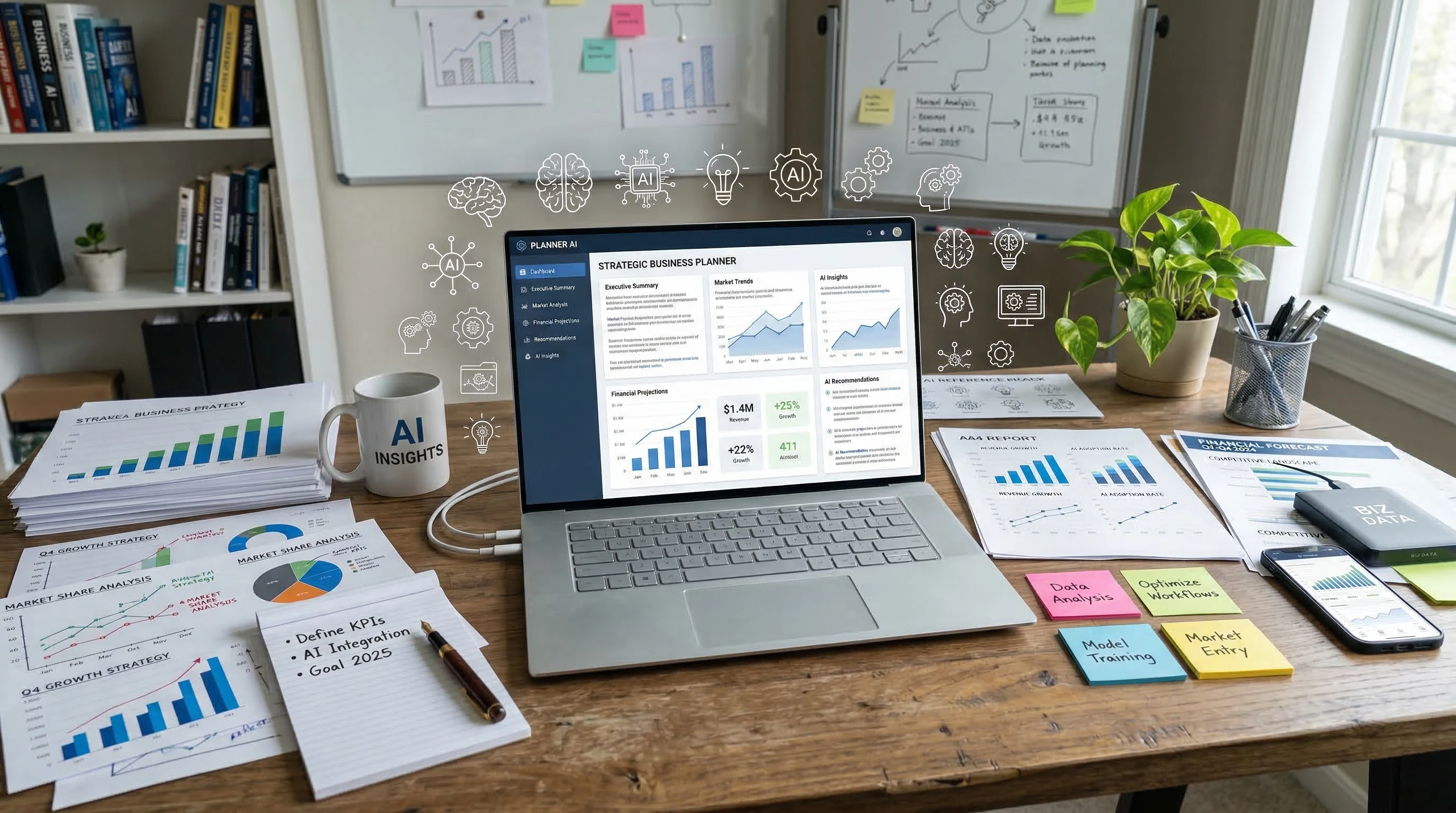
A smart office workspace with digital data overlays, AI icons, and various technology elements integrated in a business environment.

Understanding AI and Its Place in the Business World

AI means technology that lets computers think, learn, and act a bit like humans. Today, I see AI built into software, customer service chatbots, hiring tools, and even simple scheduling apps. It isn’t just for tech companies or giant corporations. Even small businesses, like local accounting offices or retail stores, are exploring ways to make use of AI in their day-to-day operations. With AI gaining ground everywhere, there’s a movement of startups building unique solutions for specific industries. For instance, law firms now use AI to scan contracts, while logistics companies depend on it to map out shipping routes and keep things running smoothly in real-time.

A recent report by the World Economic Forum describes how AI and automation are set to change 85 million jobs worldwide by 2025, but will also create 97 million new ones. [World Economic Forum: The Future of Jobs Report 2020] That’s a switch up you can really feel if you work in business operations, HR, or technology. The growing use of AI connects directly to issues like hiring headaches and skill shortages and calls for improving the way we think about workforce strategy.

Why the Skills Gap Keeps Widening in Today’s Job Market

I’ve worked with teams that struggle to hire for data analysis, cybersecurity, logistics, and digital marketing roles. The reasons include:

  • The rapid pace of change: Technology updates faster than workers can learn it, making some skills outdated within a few years.
  • Switching industry needs: New business strategies call for different skill sets, like data-driven decision-making or advanced programming.
  • Demographic changes: As older workers retire, fewer people are entering fields with technical skills that are now in demand.

These factors create a gap between what businesses need and what workers offer. It’s not just a problem for big tech firms; I’ve seen even small companies feel stretched, especially when hiring costs go up and the right candidates are hard to find. The pace of digital transformation only adds more pressure, as more roles demand skills that weren’t even common five years ago. This situation highlights the urgency for both individuals and organizations to constantly step up their skillsets and stay ahead of the curve.

For growing businesses, the challenge isn’t just finding specialist talent. There’s also a need for employees who can easily adjust, learn new digital tools quickly, and bring soft skills like problem solving and adaptability. Even fields that once seemed less technology-focused, such as human resources or public relations, are feeling the pressure to bring digital and analytics skills into the mix. This evolving landscape means everyone, from entry-level staff to top leaders, must be ready to learn and grow.

How AI Helps Businesses Face Hiring and Skill Challenges

I’ve tried using AI tools in my own workflow, and I immediately noticed how they automate repetitive tasks and make data handling much faster. This frees up people like me to focus on bigger-picture thinking or customer service, instead of getting buried in spreadsheets and manual reports.

  • Automated Candidate Screening: AI sorts through hundreds of resumes and flags applicants that fit best. This means less time lost on manual reviews for HR teams and helps avoid overlooking great talent. AI recruitment tools can also help eliminate duplicate applications and highlight candidates from nontraditional backgrounds that may have been missed otherwise.
  • Training and Upskilling: Smart platforms can recommend learning modules or personalized training based on an employee’s actual skill gaps, making corporate training more effective. Some services go further, tailoring whole training plans according to industry changes or future trends.
  • Task Automation: In accounting, AI can process invoices or reconcile accounts with fewer errors than a tired human at the end of a workday. In marketing, tools generate quick reports or suggest improvements for ad campaigns, making the whole process more data driven.

I’ve also talked with managers who now rely on AI-powered scheduling software to juggle shifts in retail or healthcare settings. For some, this has really cut down on last-minute staffing emergencies and overtime costs. By making the most of this software, businesses can also identify patterns, like peak hours or regular staff shortages, to game plan better for the weeks ahead.

AI’s strengths aren’t just limited to automation. I’ve seen it open doors for remote work by matching project needs with skilled freelancers across the globe, making talent acquisition more flexible and global. In creative fields, AI-driven design tools help brainstorm ideas and speed up iteration cycles, freeing up more time for high-level creativity.

Are There Downsides to Relying on AI Instead of Human Skills?

Adopting AI sounds helpful, but I’ve learned it doesn’t solve everything. Here are some downsides I think every business should seriously weigh before getting into it:

  • Loss of Human Touch: AI can sometimes miss the subtle cues that make customer interactions feel personal. Even a smart chatbot might leave a customer unimpressed if it sounds too robotic. Human empathy and the ability to read between the lines are still very much in demand.
  • Bias and Fairness: Algorithms are only as fair as the data and values programmed into them. There have been cases where AI accidentally favored one group of people over another in hiring decisions, which can hurt diversity and fairness. Keeping an eye out for bias in systems and routinely auditing results can help keep things fair.
  • Job Displacement: Workers worry about being replaced. Some jobs will go away as AI is adopted, and not everyone easily finds a new role or can quickly retrain for something else. This means businesses must be proactive about helping affected employees transition into new roles.
  • Integration Costs: Setting up AI systems takes both money and time. I’ve seen small businesses get excited by the promise of AI, only to discover it’s a longer road than they thought, with extra tech support and training costs. Careful budgeting is essential to avoid spending more than expected.

The list above isn’t just theoretical. I’ve talked to organizations where staff pushback stalled AI adoption for months, or where initial set-up costs bit into profits before savings appeared. Figuring out how to balance automation and human value takes ongoing adjustment and honest communication.

Real-World Examples of AI Addressing Skill Gaps and Staffing Shortages

Based on what I’ve seen in the field, AI helps in a few practical ways when hiring is tough and skills are in short supply.

  • Healthcare: Hospitals use AI to track patient records, flag missed appointments, or remind staff about medication schedules. This lightens the workload for nurses and doctors, allowing them to spend more time with patients. (HealthIT.gov: Artificial Intelligence in Health Care) There are also predictive analytics tools that anticipate patient surges, enabling hospitals to pre-schedule staff and avoid chaos during busy periods.
  • Retail: AIdriven inventory systems help restock items automatically based on trends, which means workers focus on customer experience instead of manual counts. (Harvard Business Review: The Potential for AI in Retail) In addition, checkout-free technology, guided by AI, is now helping smaller shops run smoothly with fewer staff on hand.
  • Customer Service: Some companies use AI-powered chatbots to handle the most common requests, leaving trickier problems to well-trained human agents. This helps stretch a small customer service team a lot further. AI can also log customer information during interactions so people don’t have to repeat themselves to different agents, streamlining service further.

How I Evaluate if AI Makes Sense for a Business

In my experience, AI isn’t a magic fix for all hiring and skill gap issues. I ask myself these questions before recommending it:

  1. What problem am I trying to solve? Is my main problem finding new workers, training current ones, or dealing with high turnover? Sometimes the solution lies in reorganizing teams or offering new incentives, rather than implementing new tech.
  2. Does AI really tackle this specific problem? For example, AI helps with data processing faster than humans, but not every situation is about crunching data. For creative brainstorming or nuanced negotiations, human skills still shine.
  3. Do I have the resources? AI tools cost money, and adopting them may need extra IT support or training for the team. I need to know if my business can sustain this and build a realistic roadmap for change.
  4. How will it affect my workers? I consider whether AI could free up staff to do higher-value jobs, or if it might make them feel like they’re being phased out. Honest conversations and upskilling can smooth the way for technology adoption.
  5. Are there ethical or legal issues? Data privacy, risk of bias, and transparency with customers and staff all matter. I make sure to review these carefully to avoid unintended problems.

Thinking through these points helps keep the big picture in view, preventing rushed decisions and ensuring technology truly supports the business and its people.

Barriers to AI Adoption in Business (and Some Practical Fixes)

From what I’ve seen, the main barriers to using AI are cost, complexity, and resistance from workers or managers who worry about job loss. Practical ways to handle these barriers include:

  • Start Small: I tell clients or colleagues to test AI on one or two basic office tasks before rolling it out companywide. That keeps costs and risks lower, and makes it easy to measure early wins or spot issues quickly.
  • Provide Training: Staff feel more confident about AI changes if you invest in relevant training and show how automation can make their jobs easier, not redundant. Peer coaching, online courses, and hands-on workshops are strong tools for building comfort with new tech.
  • Combine Tech with Human Oversight: I’ve seen good results when businesses keep people in charge of final decisions, even if AI screens candidates or analyzes data behind the scenes. This maintains trust and lets workers contribute unique judgment and creativity to the process.

Cost Concerns

Smaller companies or those with slim margins worry most about costs. Cloudbased AI software lets businesses avoid big upfront investments and pay monthly instead. There are also plenty of opensource or entrylevel solutions for specific tasks like customer service or social media management. This flexibility lets teams try out new systems without breaking the bank or disrupting regular workflow.

For additional savings, some businesses share AI tools across departments, letting marketing, HR, and finance all use the same platform for different tasks. This brings together budgets and promotes collaboration between teams.

Workforce Resistance

People worry about job security when new technology arrives. When I talk to friends and coworkers about these changes, the most positive outcomes happen when leaders clearly communicate about what’s coming, offer reassurance, and support staff in learning new roles if needed. Sharing real examples—like stories of staff who used AI to move into more creative roles—can help lift worker morale and demonstrate the personal benefits of upskilling.

Data and Privacy Worries

Companies have to make sure data handled by AI is kept secure and private. I always suggest reading up on local data privacy regulations and making security part of every step when setting up AI. Regular audits and transparency build trust both inside and outside the company. Clear guidelines for data usage and regular updates about security measures also reduce anxiety among customers and employees alike.

AI and the Future of Work: Balancing Technology and People

It’s easy to get caught up in the excitement (or fear) around AI. The reality is that AI complements, not fully replaces, a talented workforce. For example, AI does the heavy lifting with data, but it still takes creative problemsolving, negotiation, and empathy—skills that only humans bring to the table—for many kinds of work.

I see the best results when companies use AI for predictable, repetitive tasks, then direct human energy toward innovation, strategy, or relationshipbuilding. Over time, this balance can make organizations more resilient, adaptable, and better at keeping up with customer needs. Organizations that make a point of mixing human intelligence with everevolving AI technology tend to weather industry changes better and keep employee satisfaction higher.

How to Start with AI in Your Business

If I had to design a practical first step for introducing AI, it would look like this:

  1. Pinpoint the business process that’s most bogged down by repetitive work or skill gaps.
  2. Research userfriendly AI tools built for that purpose, as many software vendors offer free trials. Demo sessions and webinars can help your team get a feel for the options before making any decisions.
  3. Get team feedback and involve them in decisionmaking, so nobody feels left out or threatened. This step opens the door to creative ideas and helps find hidden pain points in how work gets done.
  4. Measure the impact after a trial period. Did it make things faster, more accurate, or reduce errors? Ask for honest feedback on what worked or didn’t.
  5. Build on your momentum. If the change was positive, roll it out to other areas gradually instead of all at once, fine-tuning as you go.

It’s also helpful to set clear goals and benchmarks before you jump in. Having simple success metrics, like turnaround time or employee satisfaction, keeps everyone focused on improvement rather than just the newness of the tech.

Lessons from Companies Already Embracing AI for Skills and Staffing

After reading dozens of case studies and talking to business owners, I noticed a few clear takeaways:

  • Companies that use AI thoughtfully, by listening to staff and addressing concerns, feel more positive about the outcomes. Collaboration across departments helps too—HR may spot different impacts than IT or product teams.
  • AI allowed some businesses to avoid layoffs during tough times by boosting productivity with a smaller team. Some organizations have re-imagined jobs, letting AI pick up menial tasks and moving people into more impactful positions.
  • Training budgets moved from basic skills training to higher-level upskilling, helping employees move into more valuable roles. Encouraging team members to jump into new certificate programs or learn emerging tools ensures the company can keep up with changes.
  • Early adopters of AI sometimes edge out competitors by staying more agile or spotting market changes faster. These companies use AI-generated reports to pinpoint shifts and adjust strategies quickly, keeping them a step ahead of rivals.

I’m encouraged by the fact that the businesses who see the most value from AI stay focused on people first. They use new tech as a support system, not just a replacement. This people-first approach helps build loyalty and makes it easier to bring out the best in both technology and the workforce.

Practical Tips for Getting the Most Value from AI

The success of AI in addressing skill shortages and hiring pain points depends on how thoughtfully a business approaches adoption. Here are some tips I keep in mind and share with others:

  • Identify the highestimpact area: Make sure you’re applying AI where it can bring clear value, such as customer service, data entry, or training. Wasting resources on the wrong use case can be discouraging, so focus your efforts for visible gains.
  • Keep ethics in mind: Actively monitor for issues like bias, privacy problems, or reduced transparency. Involve a range of voices, both internal and external, when making big changes. Policies should be clear about what AI will—and won’t—do, so expectations remain realistic.
  • Stay flexible: AI tools change rapidly. Regularly check for new options or ways to update your systems based on real user feedback. Don’t be afraid to switch things up if something isn’t working.
  • Invest in people: Support reskilling and upskilling, especially for staff whose day-to-day work will change the most. Investing in people helps maintain morale during periods of rapid change.

Clear documentation and regular check-ins go a long way—if people are struggling with a new tool, it pays to listen closely and adapt as needed. Sometimes, just a small tweak or a short extra training session can make adoption much smoother.

Common Questions about AI and Skills Gaps in Business

Question: Will AI take over all jobs in my business?
Answer: From what I see, AI takes over repetitive or tedious work first, allowing people to focus on creative or unique tasks. It’s very unlikely to replace all jobs outright. In most cases, it works best when combined with human talents.


Question: Is it expensive to get started with AI for a small business?
Answer: Many AI tools now operate on a subscription or pay-as-you-go basis. This lowers up-front costs. Smaller businesses can pick a single use case with clear potential and expand after seeing results. There’s no need to commit to large, complex systems from day one.


Question: How do I know if AI is right for my type of business?
Answer: Evaluate processes where errors, delays, or skills shortages slow you down. AI isn’t right for every area; customer relationships or creative thinking are still best left to people, but it makes sense where routine, data-heavy work piles up. For best results, run a pilot program and review outcomes before a full rollout.


Question: How can I make sure my workers don’t feel threatened by AI?
Answer: Communicate openly, involve staff in the change process, and offer clear training or support for new roles. People are more positive when they see new tech as a helpful tool rather than a threat. Share stories of wins, and ask for staff input to keep morale high.


Final Thoughts: The Big Picture for Businesses Considering AI

Businesses face real challenges from skill gaps and hiring difficulties, but those challenges also create incentives to improve. From what I’ve experienced, AI does help bridge some of these gaps, mainly by making daily operations smoother and allowing employees to switch up their roles toward more rewarding work. The best results happen when leaders focus equally on adopting the right technology and developing their people. If you’re considering AI for your company, start thoughtfully, get feedback along the way, and keep checking that it’s supporting both your business goals and your employees’ growth. Remember, AI works best as a tool that gives your staff a boost, not as a replacement—so keeping the people at the center of these decisions gives you the best shot at success.